 Fiza3D
Draw your road network
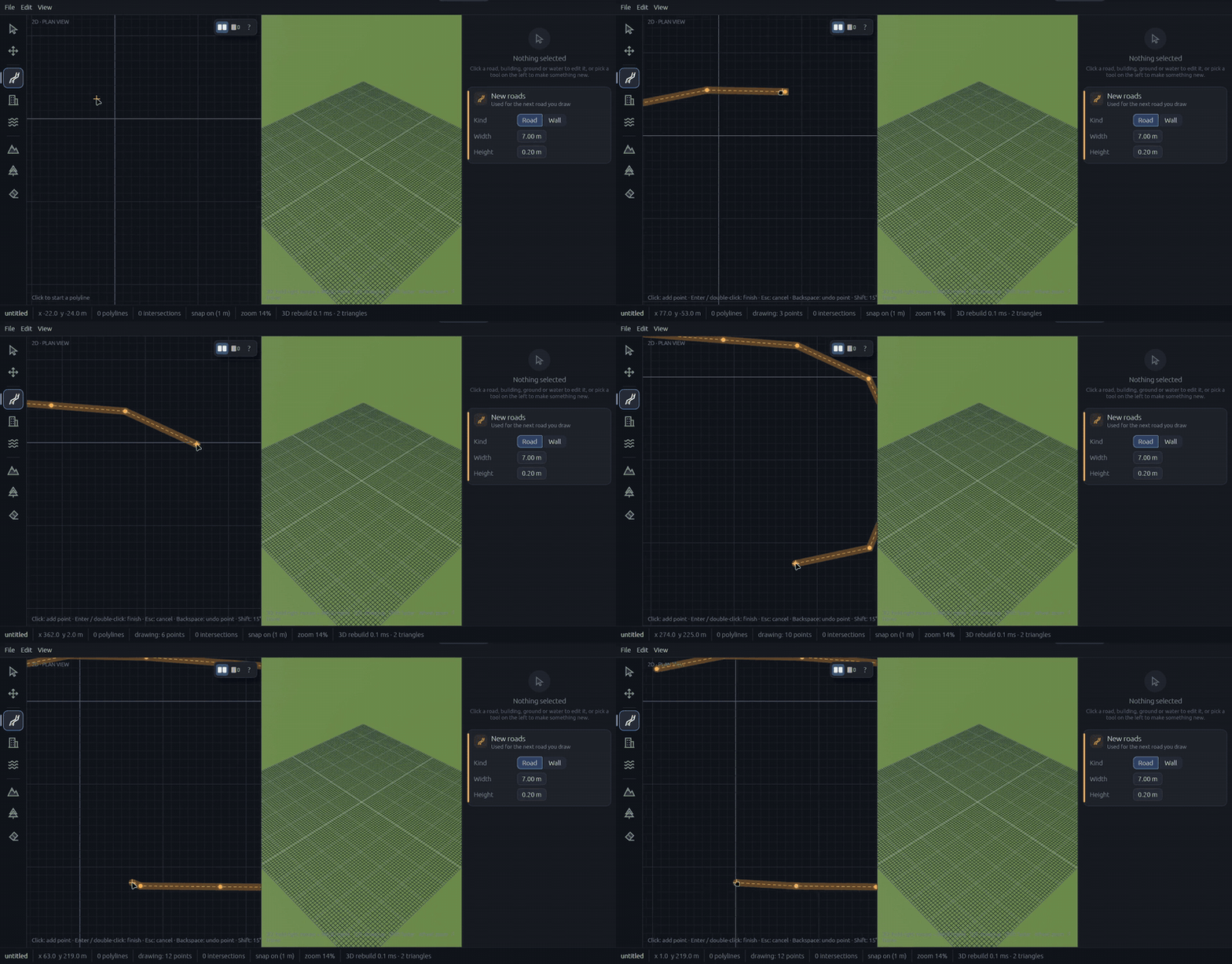
Pick the road tool and click to lay points. Set width and height, and choose round or sharp corners. The 3D view builds the road as you draw.
- Snap to a 1 m grid
- Undo and redo every step
- Roads or walls from the same tool
3D map editor for game developers
Fiza3D is a map editor for game levels, road networks and cities. Draw roads, bridges, tunnels, terrain, water and buildings in a simple plan view, and the 3D world builds itself beside you. Export to glTF when you're done.

Every clip below is the real editor, recorded in one sitting. No 3D modelling required.
Pick the road tool and click to lay points. Set width and height, and choose round or sharp corners. The 3D view builds the road as you draw.
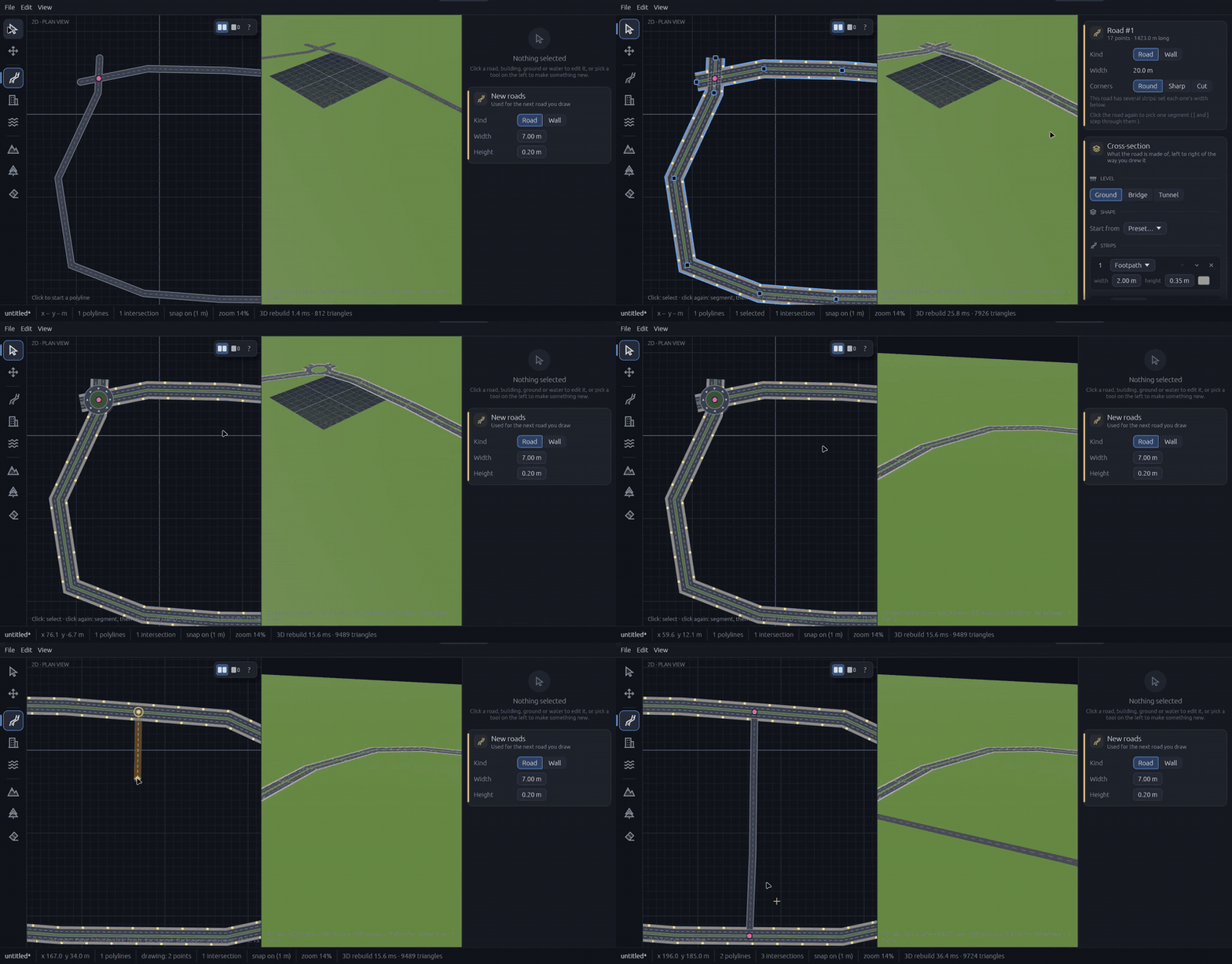
Where roads meet, Fiza3D finds the intersection and builds it. Lanes, kerbs, footpaths and lane arrows line up without any manual stitching.
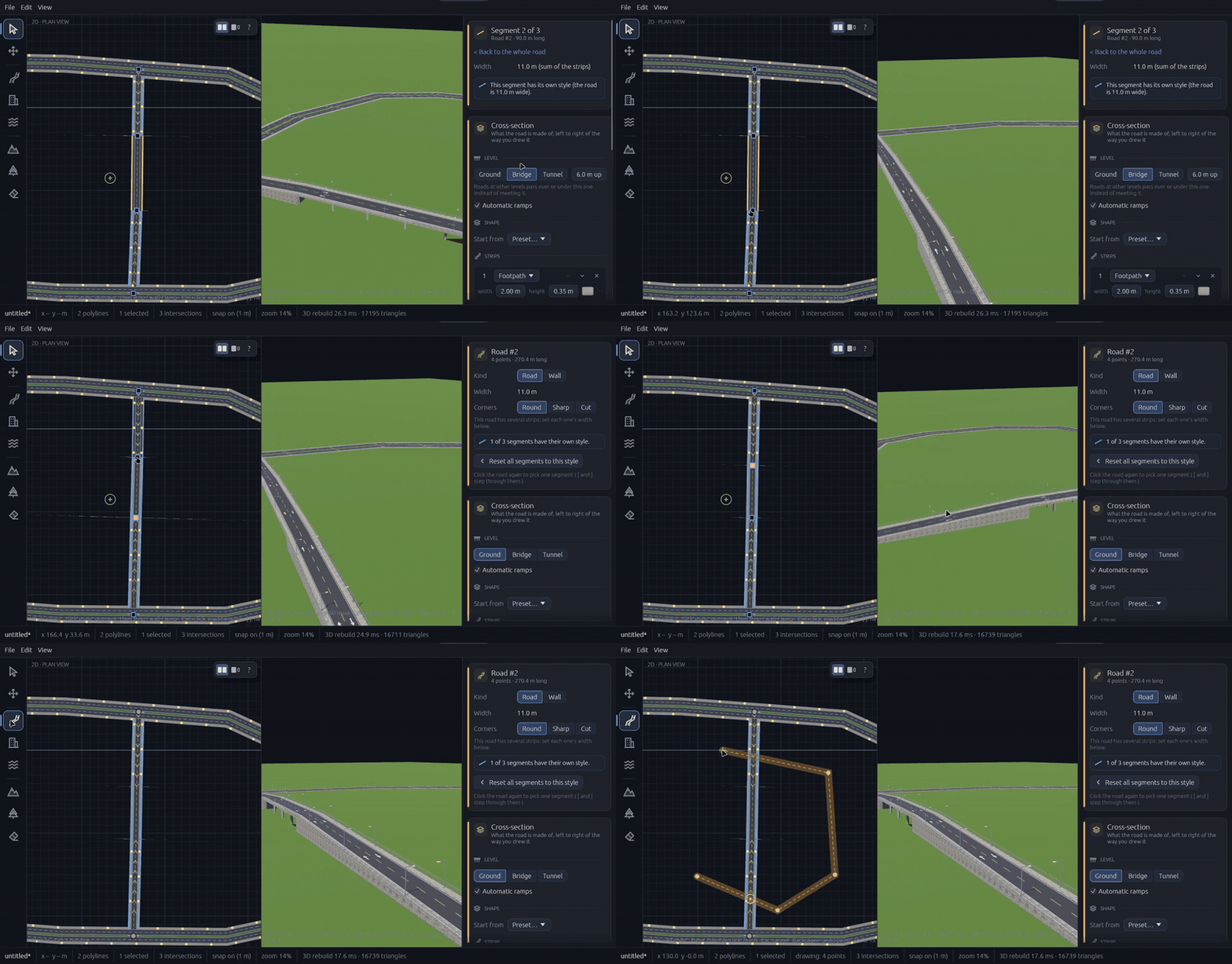
Switch any road segment from Ground to Bridge or Tunnel and set how high or deep. Ramps are generated automatically, with piers down to the ground and lined tunnel tubes.
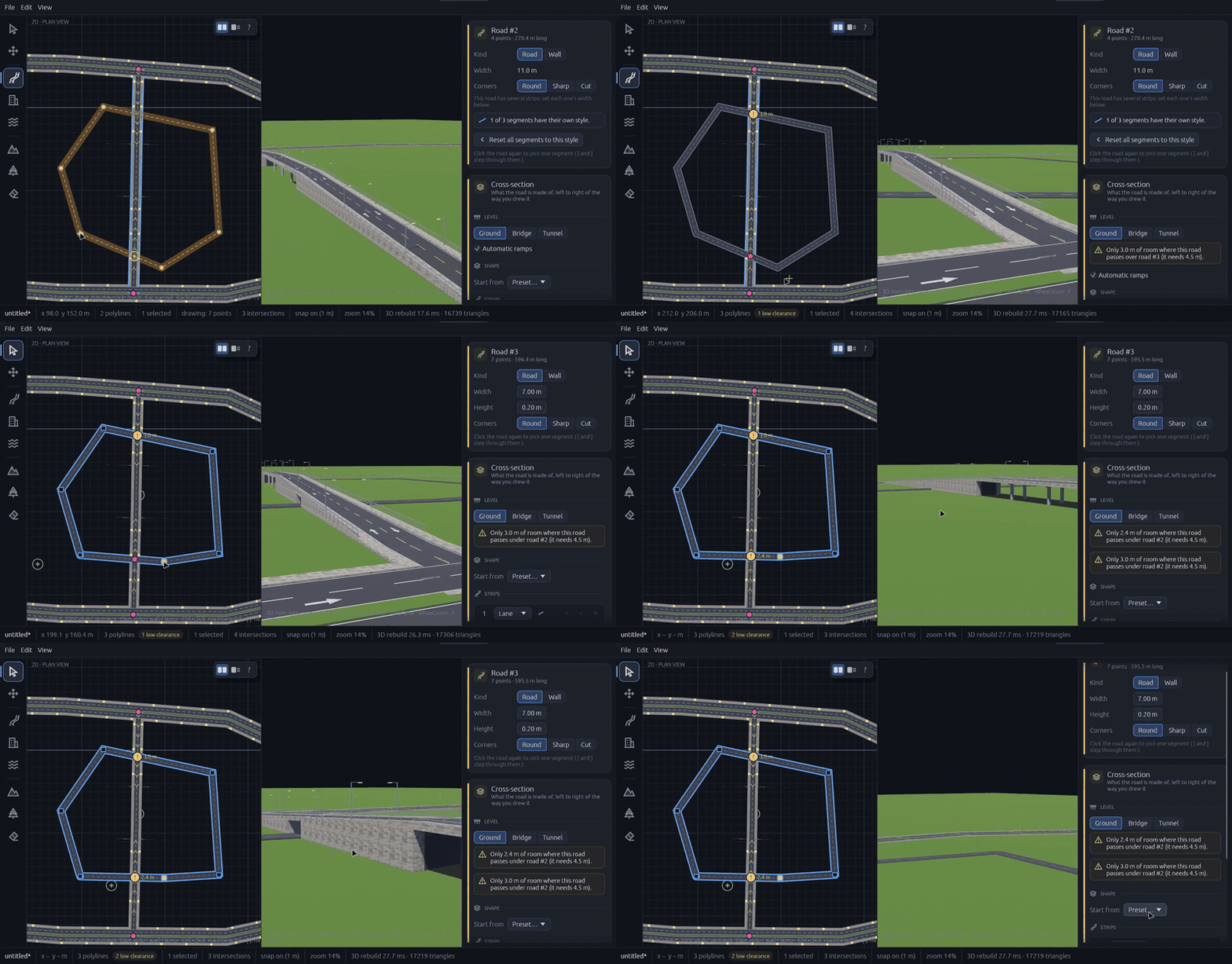
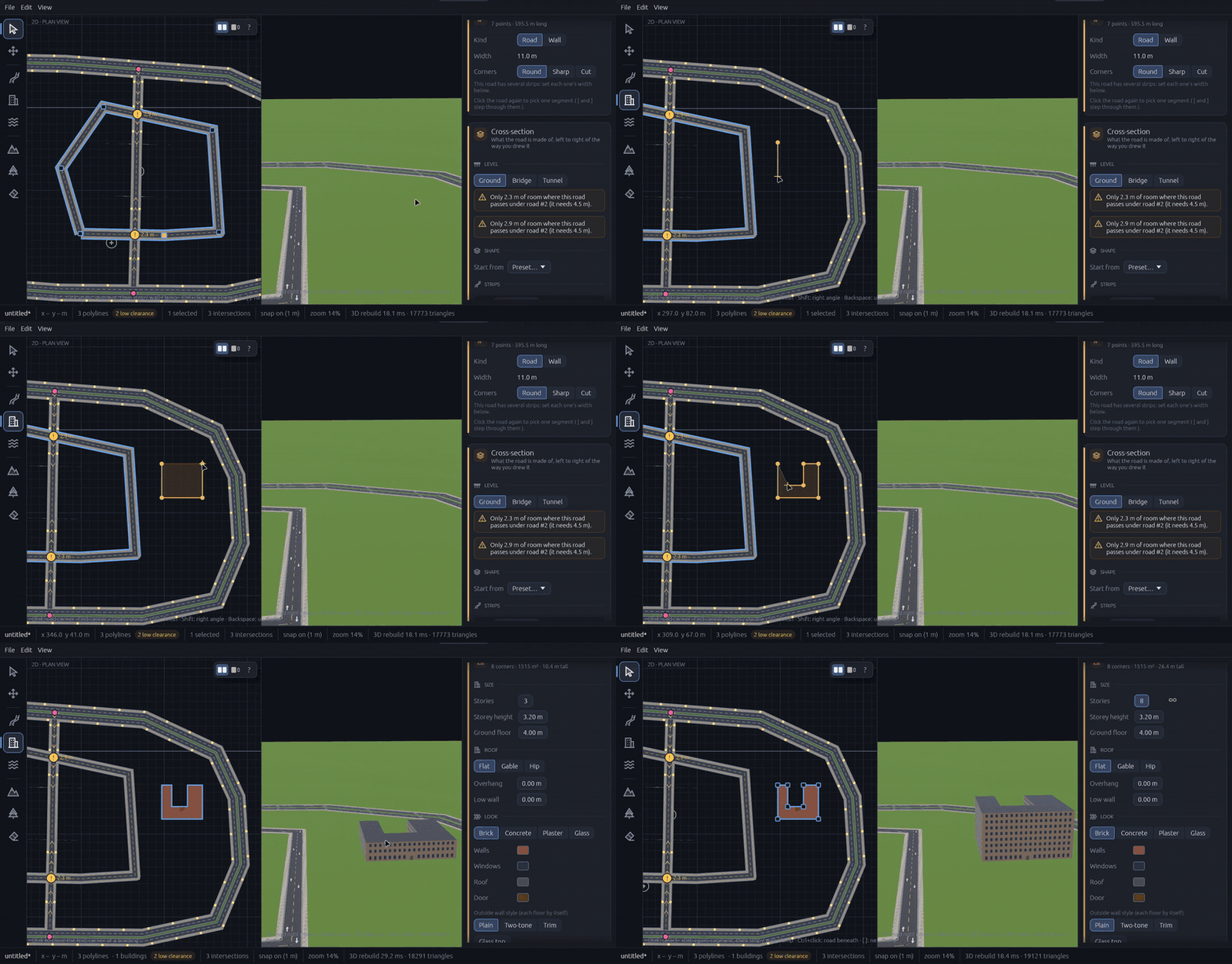
Cross one road over another and the editor checks the gap. If a vehicle wouldn't fit underneath, you get a plain-language warning with the exact numbers, right in the inspector.
Click out a footprint and it's a building. Set storeys, storey height, roof style and wall material: brick, concrete, plaster or glass. Even a 17-storey U-shaped tower takes seconds.
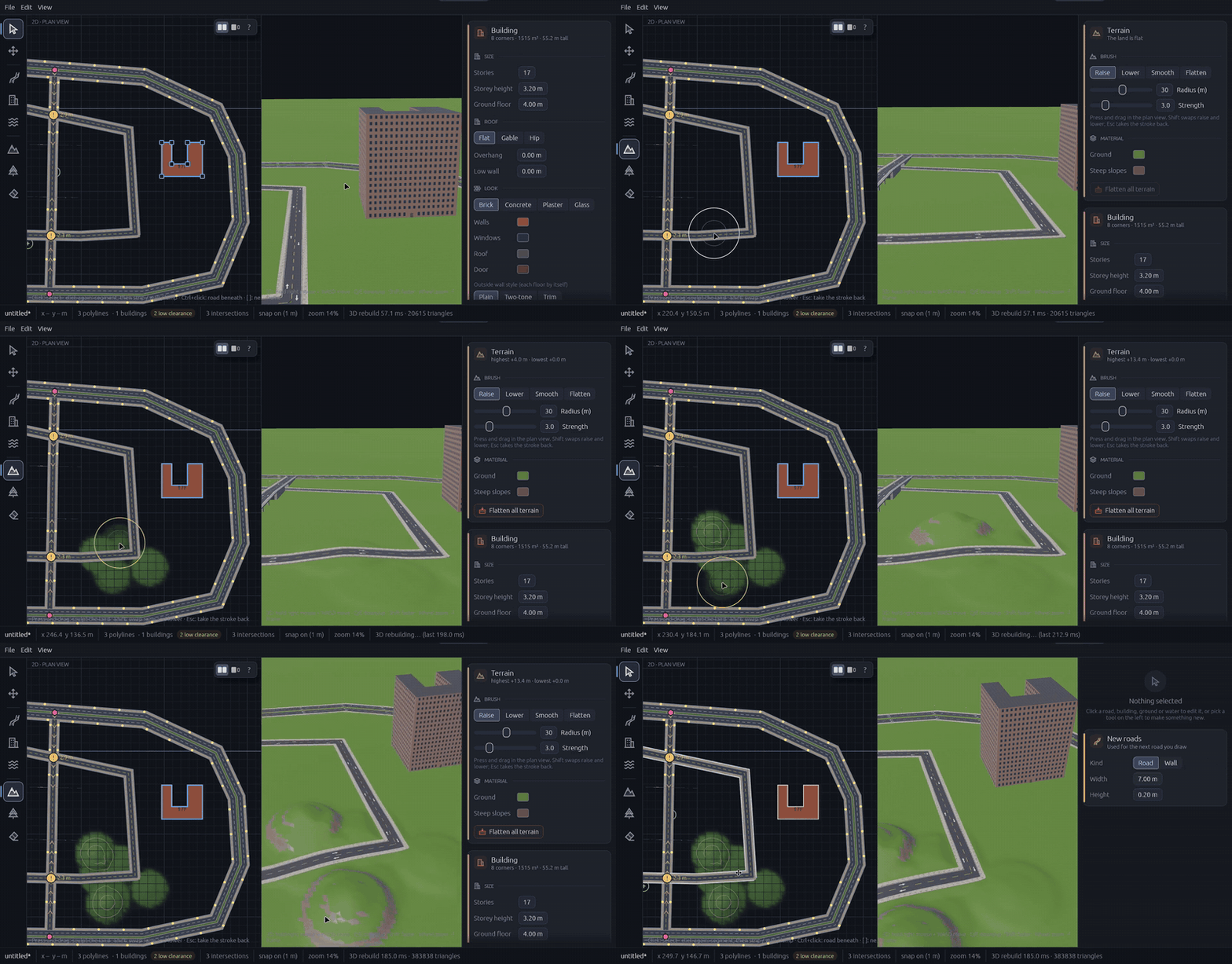
Raise, lower, smooth and flatten the land with a brush. Roads, buildings and props settle onto the ground automatically, with graded roads, banks and building pads.
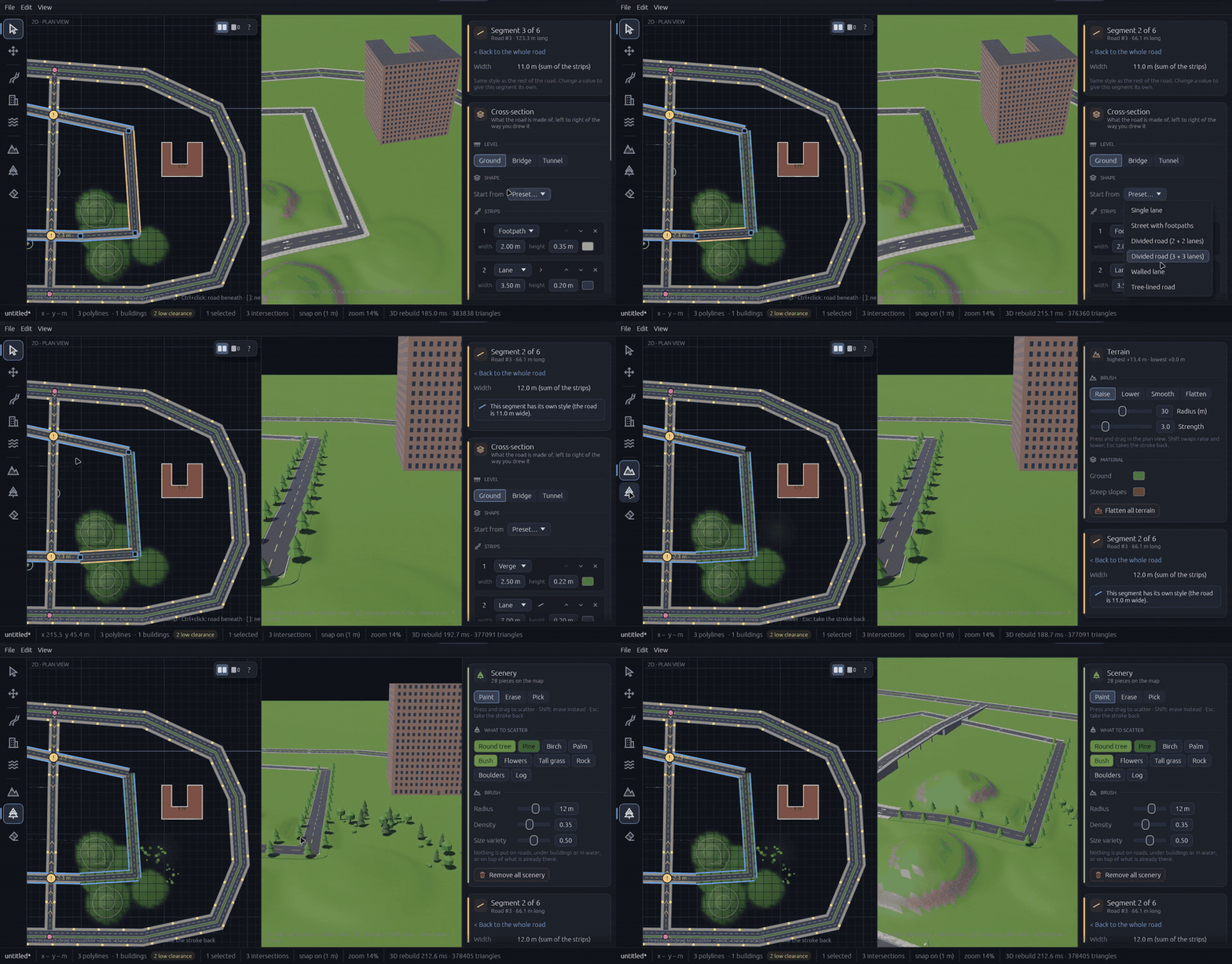
Scatter trees, pines, birches, palms, bushes, flowers, grass, rocks, boulders and logs with a brush. Control radius, density and size variety. Scenery stays off roads, buildings and water.
A complete toolkit for city, racing, open-world and interior maps, in one native desktop app.
Send your finished map to Bevy, Godot, Unity, Unreal or Blender as glTF, including terrain, roads, buildings and scenery.
Test your level by walking it: run, jump, climb stairs and pass through doorways. Walls are solid.
Floors, ceilings, interior walls, doors, windows, stairs, rooms with floor coverings and furniture. Edit floor by floor.
Dig water into the terrain with the water tool. Bridges are laid automatically where roads cross.
A bundled gallery of CC0 texture sets for asphalt, concrete, brick and more, mapped for you.
A native Rust app on the Bevy engine. The 3D view rebuilds in milliseconds as you edit.
Box-select roads, buildings and water together, then move, copy, paste or duplicate in one undoable step.
Maps save to a simple file, with the last ten maps one click away.
Block out levels, roads and cities fast, then export to your engine of choice.
Iterate on layout in 2D while seeing sightlines and scale in 3D at the same time.
Lay out tracks and highways with real lanes, junctions, flyovers and tunnels.
Go from empty grid to a playable-looking world without a dedicated environment artist.
Fiza3D is a desktop 3D map editor for game levels. You design in a 2D plan view and see the result build live in a 3D view next to it. It covers roads, bridges, tunnels, terrain, water, buildings with interiors and scenery.
Yes. Maps export to glTF, the open 3D format that Bevy, Godot, Unity, Unreal and Blender can import. Sculpted terrain, roads, buildings and scenery are included.
No. You place roads, walls and areas in a simple top-down plan and Fiza3D builds the 3D geometry for you, including junctions, ramps and graded terrain.
Fiza3D bundles 177 CC0 PBR texture sets for roads, concrete, brick and more, with a material gallery for picking them.
Yes. A first-person walk-around view lets you run, jump and climb stairs through your map, with solid walls and doorways.
Join the waitlist below and you'll be emailed when Fiza3D opens up.
Join the waitlist and be first in line when Fiza3D opens up.